Most dashboards in our region are designed in English first and mirrored at the end. That last step is where things break: charts read backwards, icons point the wrong way, and Arabic labels get squeezed into boxes sized for English words.
At Lucidya we flipped the order. We sketch and test the Arabic screen first, then let English follow. It costs nothing extra at the start, and it saves a full round of fixes before launch.
Start from the Arabic screen
Arabic words run longer or shorter than their English twins in ways you can’t guess, and the script needs more vertical room for its dots and marks. When the Arabic version is the first one on the canvas, every box, label and truncation rule is sized for the harder case.
What mirrors, and what doesn’t
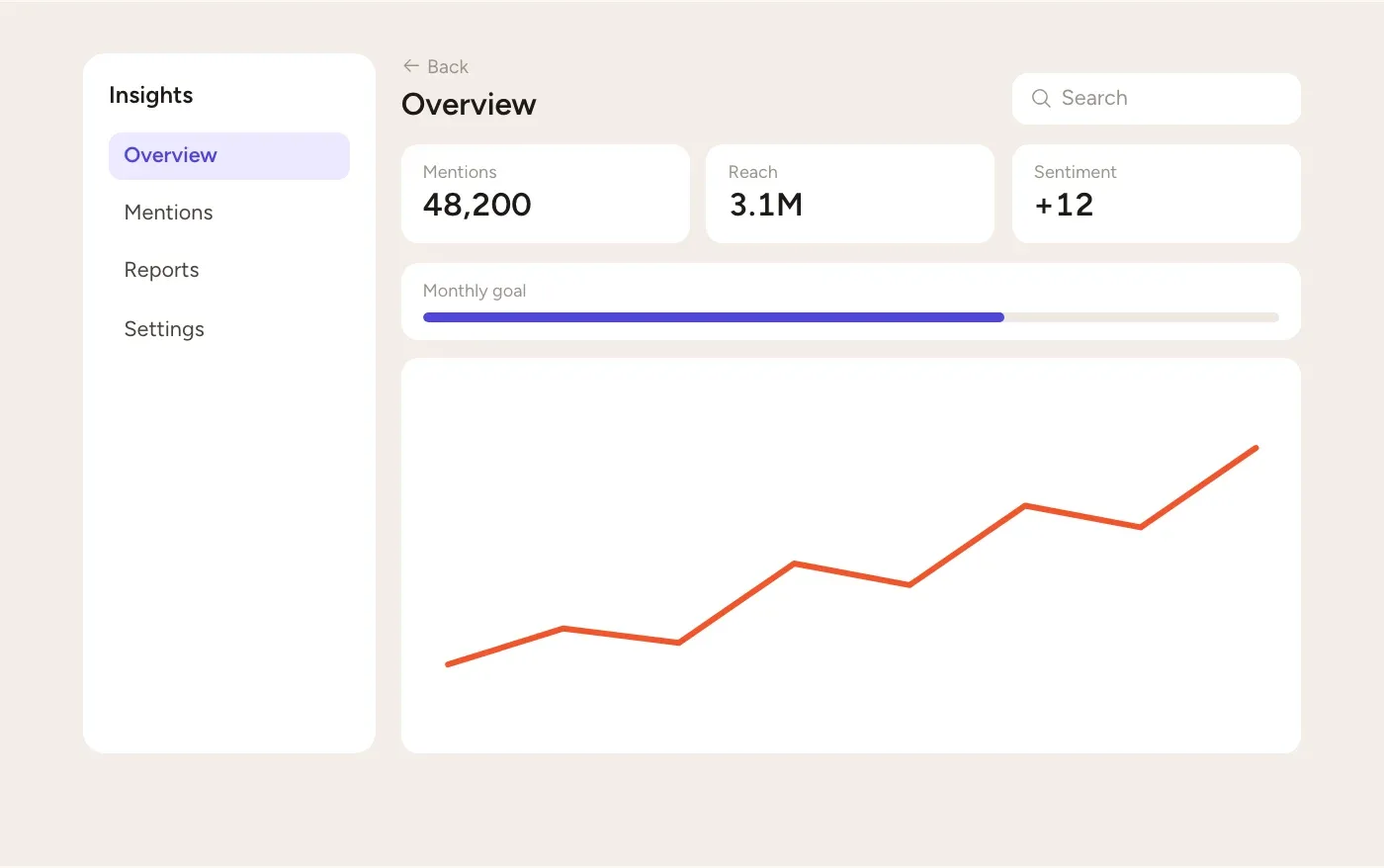
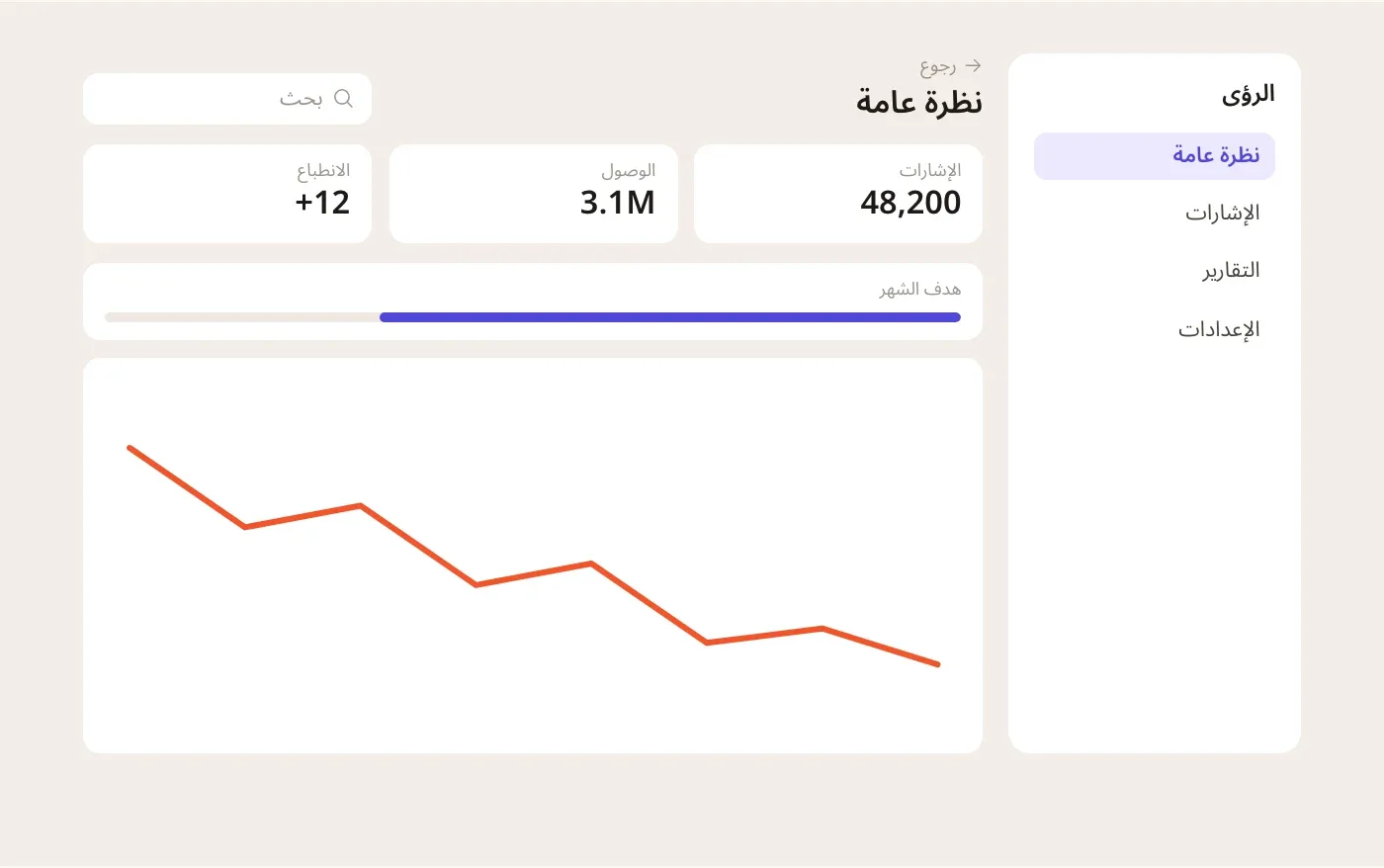
Drag the handle to compare the same screen in both directions. The sidebar, the back arrow and the progress bar move to the other side. The numbers stay exactly as they are.
| Element | In Arabic | Why |
|---|---|---|
| Navigation and back arrows | Mirror | They follow the reading direction. |
| Sidebars and text alignment | Mirror | The start side moves to the right. |
| Progress bars and sliders | Mirror | Progress moves with the reading direction. |
| Digits and phone numbers | Keep | Digits are always read left to right. |
| Play buttons and clocks | Keep | They don’t depend on reading direction. |
| Logos and product names | Keep | They are brand marks, not text. |
Numbers keep their direction
Inside an Arabic sentence, a number like 48,200 still reads left to right. The browser gets this right when the markup is right: wrap mixed text in <bdi>, or set dir="auto" on anything people type.
Decide early whether the product uses Western digits (0–9) or Eastern Arabic digits (٠–٩), and use one everywhere. Mixing them in one table is the fastest way to lose trust.
The mirror at the end of a project is where most Arabic bugs are born.
Build it into the system
Fixing direction screen by screen doesn’t scale. We moved it into the design system, so every component flips on its own when the page direction changes.
In code, logical properties do most of the work. They describe start and end instead of left and right:
/* Logical properties flip with the page direction */
.card {
  padding-inline: 16px;
  margin-inline-start: auto;
  border-inline-start: 3px solid var(--accent);
  text-align: start;
}

/* Only icons that show a direction get mirrored */
[dir="rtl"] .icon-directional {
  transform: scaleX(-1);
}
From sketch to screen
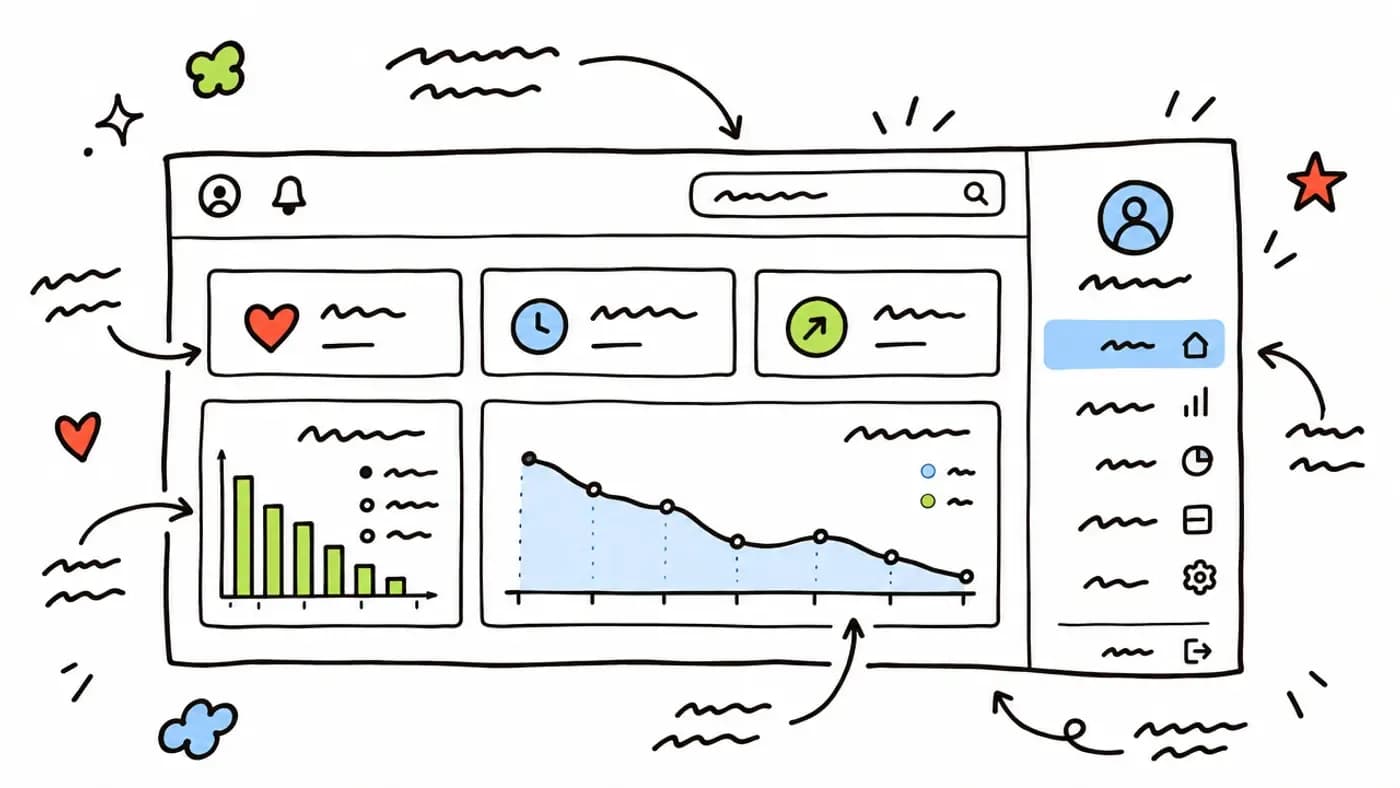
Three rounds of sketches, each tested with Arabic-speaking analysts before anything was drawn in Figma.
A checklist for your next review
- The Arabic screen was designed and tested first.
- Layout uses start and end, never left and right.
- Only icons that show a direction are mirrored.
- Numbers, codes and phone numbers are isolated with bdi.
- One kind of digits is used across the product.
- Arabic text has room to grow and is never letter-spaced.